
Xuanheng Mouse Behavior Software
Four tools for distinct research questions: trajectory quantification, surface-point tracking, behavioral recognition, and pattern discovery.
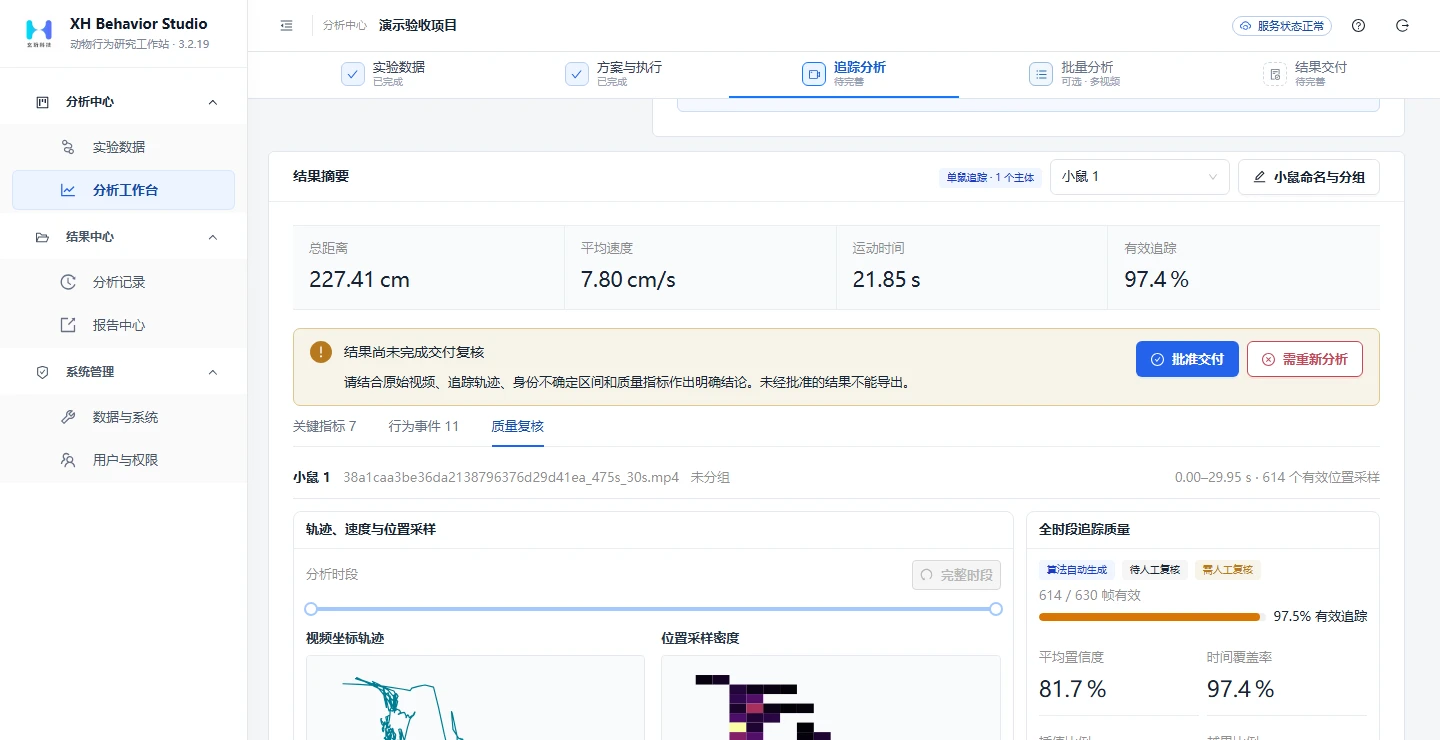
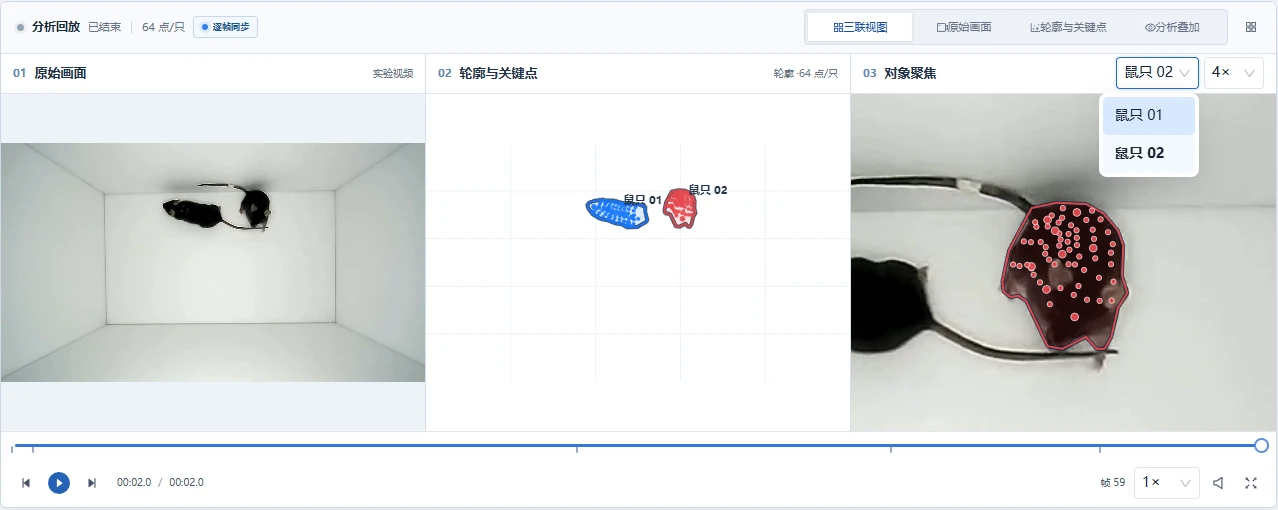
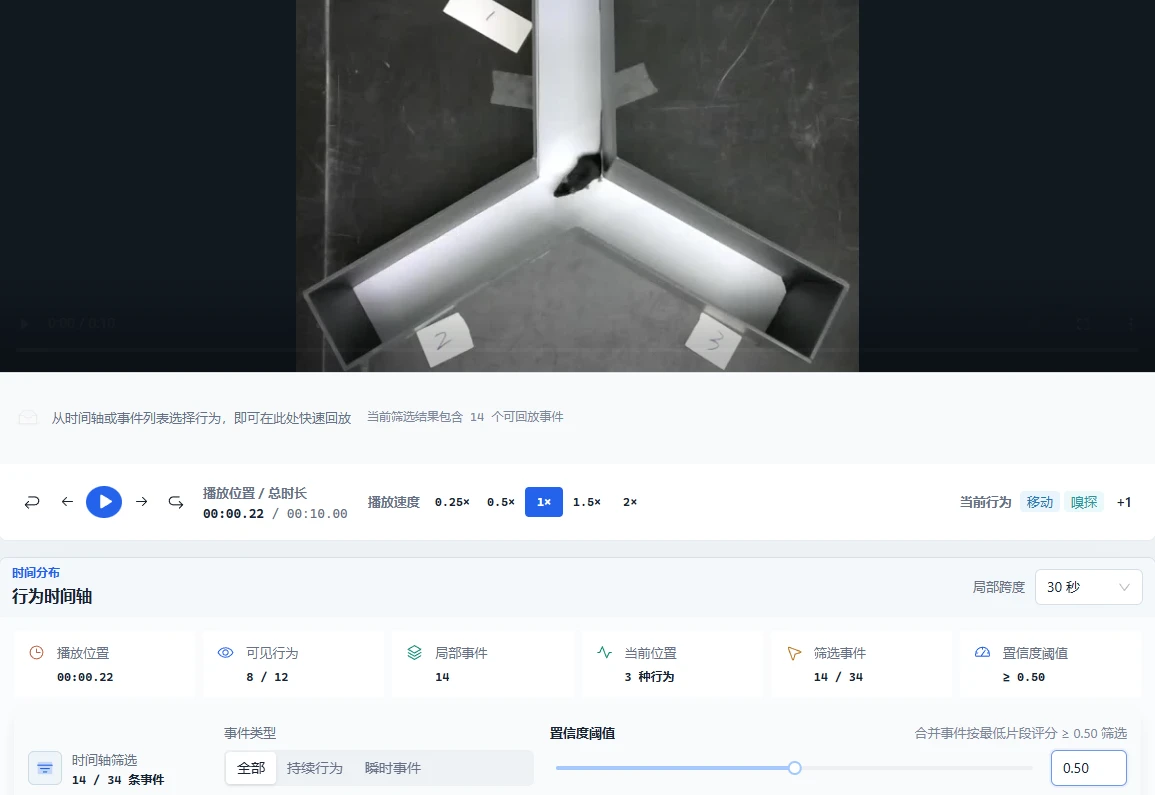

Actual software interfaces · Explore each product for features, results, and reports. Original screenshots may include Chinese labels.
PRODUCT PORTFOLIO
What does your research need to measure?
Quantify spatial activity, observe body motion, locate behavioral events in time, or discover patterns without predefined labels. Each product has a distinct focus.
01 · Trajectories and zones
Behavior Studio
Mouse trajectories and experimental behavior quantification
Turn movement trajectories into verifiable experimental measures
For mouse experiments focused on spatial position and movement, bring tracking, arena calibration, zone analysis and review into one workflow.
- Experiments and trials in one place
- Movement and zone measures together
- Video review and result recalculation
- Scope
- 2 analysis workflows · single and multiple mice
- Inputs
- Experimental videos, arena calibration and regions of interest
- Outputs
- Frame-level trajectories, Movement, zone and immobility measures, Behavioral event tables, Figures and experimental reports
Analysis workspace and quality review
Software interface Enlarge image02 · Body-surface points and interactions
Dense Tracking Studio
Multi-mouse body-surface point tracking
Look beyond position to fine-scale body-surface movement
For fine-scale body-surface motion and interaction research, view tracked points together with occlusion and identity uncertainty.
- Contours and body-surface points together
- Multi-mouse results organized by individual
- Quality flags for manual review
- Scope
- 3 tracking scenarios · 1–3 mice
- Inputs
- Single-view video, initial targets and analysis regions
- Outputs
- Individual contours and body-surface point trajectories, Frame-level quality flags, Rule-based behavior candidates, Data, images and PDF
Linked three-view results workspace
Software interface Enlarge image03 · Behavior segments and events
Behavior Analytics
Intelligent mouse behavior recognition
Locate behavioral segments and events in video time
An end-to-end model combines scene, subject-local and temporal information to predict behavior categories and timing directly, rather than substituting trajectory rules for recognition.
- 7 experimental scenarios · 19 behavior categories
- Direct model prediction of categories and timing
- Linked source-video and event-timeline review
- Scope
- 7 scenarios · 19 behavior categories
- Inputs
- Experimental paradigm, behavior definitions and continuous video
- Outputs
- Behavioral segments and event candidates, Timeline and video review, Annotation and evaluation data, Export of confirmed results
Source-video playback and behavior timeline
Software interface Enlarge image04 · Pattern discovery and group analysis
DIVE
Behavior-pattern discovery in freely moving mice
Discover behavioral patterns and structure from free-movement videos
For freely moving single mice, connect posture libraries, representation learning and unsupervised clustering to explore behavioral structure beyond predefined labels.
- Self-supervised training and checkpoint resumption
- Unsupervised discovery of behavioral units
- Video-level and experimental-group comparisons
- Scope
- Trainable representation models · single-mouse free movement
- Inputs
- Single-mouse free-movement videos organized by experimental group
- Outputs
- Trained models and training records, Posture images and temporal features, Cluster labels and behavioral profiles, Distributions and transition relationships, Statistical tables, PNG and PDF
DIVE workspace and analysis workflow
Software interface Enlarge imagePRODUCT COMPARISON
Which tool fits your experiment?
Compare analysis methods, experimental settings, and research outputs.
| Product and research focus | Analysis approach | Experiments and settings | Key outputs |
|---|---|---|---|
| Behavior Studio Mouse trajectories and experimental behavior quantification | Trajectory-based experimental quantification Experimental video → target tracking → measure calculation → manual review and reporting | 2 analysis workflows · single and multiple mice Movement and zone analysis, plus tail-suspension/forced-swim analysis. Supports single mice, mice in separate arenas, multiple mice in one arena and custom protocols. | From movement trajectories to traceable experimental measures Frame-level trajectories, Movement, zone and immobility measures, Behavioral event tables, Figures and experimental reports |
| Dense Tracking Studio Multi-mouse body-surface point tracking | Joint tracking of individual contours and body-surface points Video → localization and identity association → body-surface point tracking → candidate review | 3 tracking scenarios · 1–3 mice Single mice, same-color mice and different-color mice. Choose 32/64/96 body-surface points per mouse and retain individual trajectories and quality information. | Fine-scale movement trajectories and interaction candidates Individual contours and body-surface point trajectories, Frame-level quality flags, Rule-based behavior candidates, Data, images and PDF |
| Behavior Analytics Intelligent mouse behavior recognition | End-to-end video behavior prediction A trained model directly predicts categories, start/end times and instantaneous events, with linked video review. | 7 scenarios · 19 behavior categories EPM elevated plus maze; LH learned helplessness; NOR novel object recognition; object-based experiments; OFT open field; SI social interaction; Y-maze. | Behavior categories, temporal boundaries and event locations Behavioral segments and event candidates, Timeline and video review, Annotation and evaluation data, Export of confirmed results |
| DIVE Behavior-pattern discovery in freely moving mice | Self-supervised training + unsupervised pattern discovery Self-supervised training or model reuse → temporal features → unsupervised clustering. | Trainable representation models · single-mouse free movement Build training data, pause and resume training, and compare videos and experimental groups without predefined behavior categories. | Explore behavioral structure beyond predefined labels Trained models and training records, Posture images and temporal features, Cluster labels and behavioral profiles, Distributions and transition relationships, Statistical tables, PNG and PDF |
RESEARCH WORKFLOW
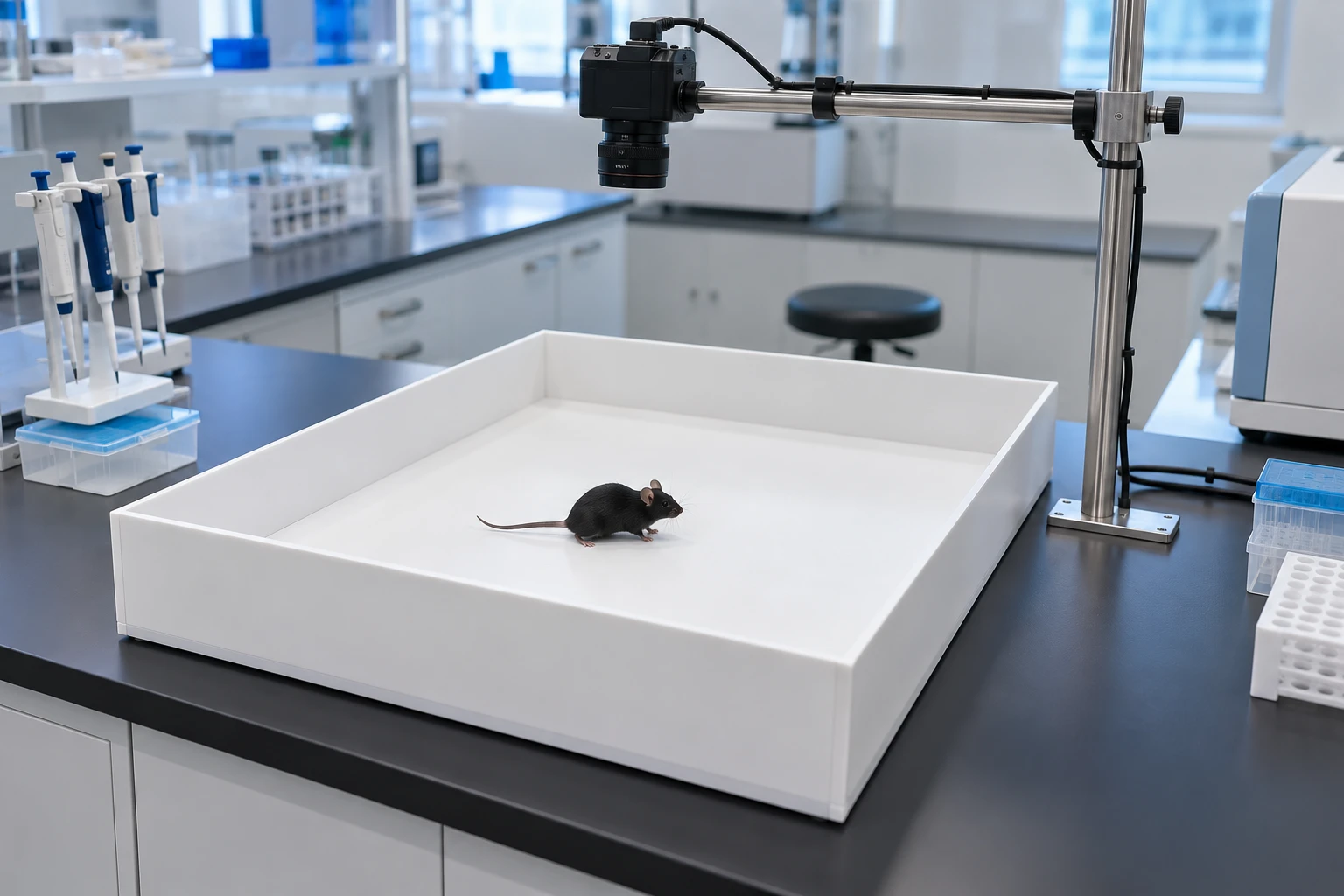
From video to research outputs in four steps
- 01
Choose your analysis
Match the tool to trajectories, body motion, behavioral events, or pattern discovery.
- 02
Prepare experimental video
Check image quality and recording conditions, then configure the arena, subjects, and analysis parameters.
- 03
Analyze and review
Review identities, event segments, and quality flags against the original video.
- 04
Export research outputs
Save data, figures, and parameter records for statistics and reuse.
CHOOSING YOUR TOOL
Before you begin
Can I use my existing experimental videos?
Share a representative sample. Our product team can assess recording angle, illumination, subject size, and occlusion to recommend an appropriate approach.
How do I choose between the four products?
Choose Behavior Studio for locomotion and arena metrics; Dense Tracking Studio for surface points and fine movement; Behavior Analytics for behavioral categories and their timing; and DIVE for discovery of freely expressed activity patterns.
How should I interpret the results?
Review results alongside the experimental design and original video. Distance measurements require arena calibration, behavioral candidates require confirmation, and unsupervised patterns require researcher interpretation.
Find the right approach for your research
Tell us your paradigm, recording conditions, and target measurements to arrange a demo and sample assessment.