
Open-field movement and spatial exploration
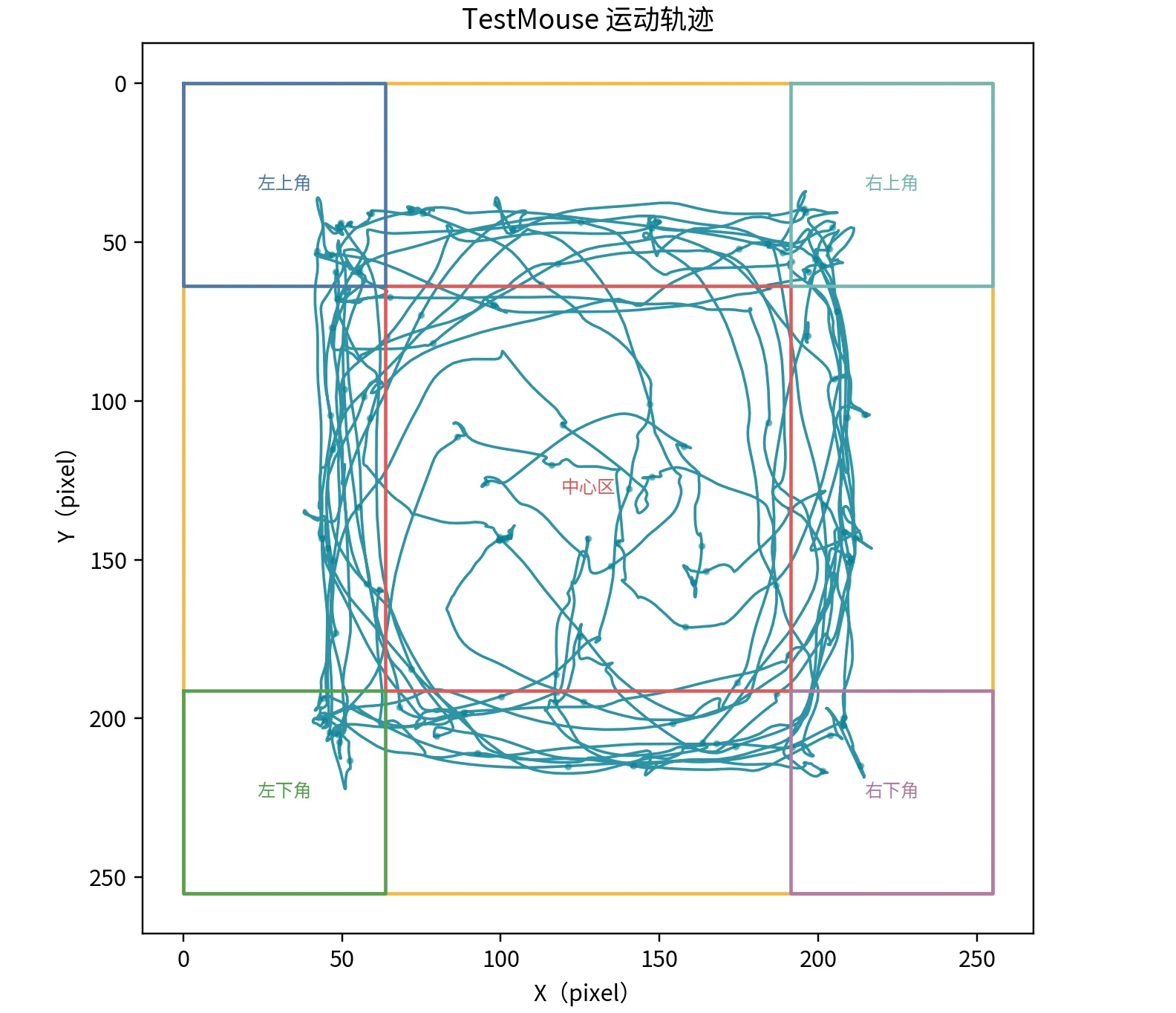
Use arena calibration and center/periphery regions to quantify paths, distance, speed and occupancy distribution.
Mouse trajectories and experimental behavior quantification
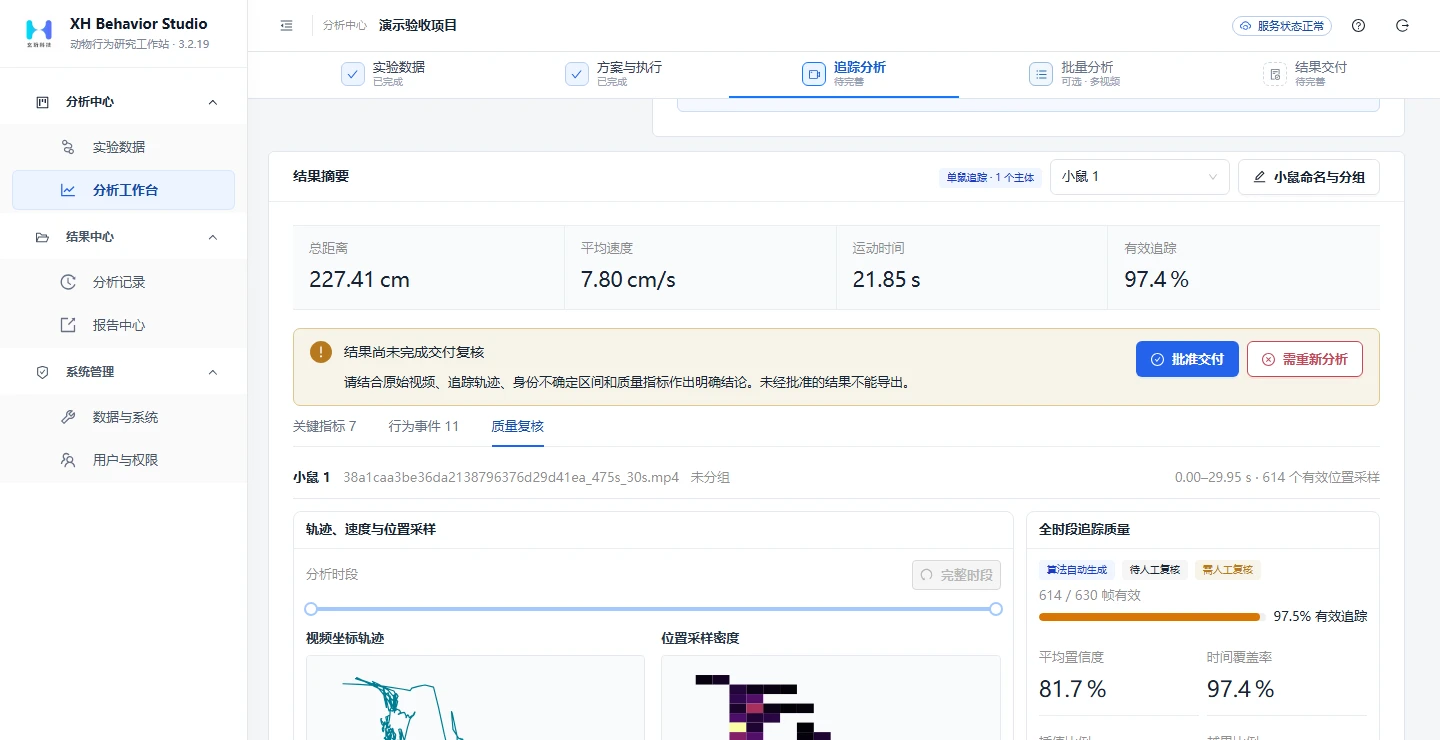
Convert experimental videos into trajectories, distance, speed and zone events. Link results to trials, parameters and source videos for review, recalculation and report export.
 Enlarge image
RESEARCH APPLICATIONS
Use arena calibration and center/periphery regions to quantify paths, distance, speed and occupancy distribution.
Define regions of interest, summarize occupancy and entry/exit events, and replay relevant video intervals.
Organize trajectories and events by experimental region, retain trials and parameters, and recalculate measures after review.
CORE CAPABILITIES
Keep protocols, trials, videos and parameters linked so results can be checked against their analysis conditions.
Choose classical visual tracking or target detection followed by contour propagation according to lighting, background and mouse appearance.
Organize frame-level observations by original timestamps and flag tracking interruptions, missing observations and identity ambiguity.
Use arena calibration and region definitions to calculate distance, speed, movement state, occupancy and entry/exit events.
Check videos, trajectories and identities, correct affected intervals, and recalculate the relevant measures.
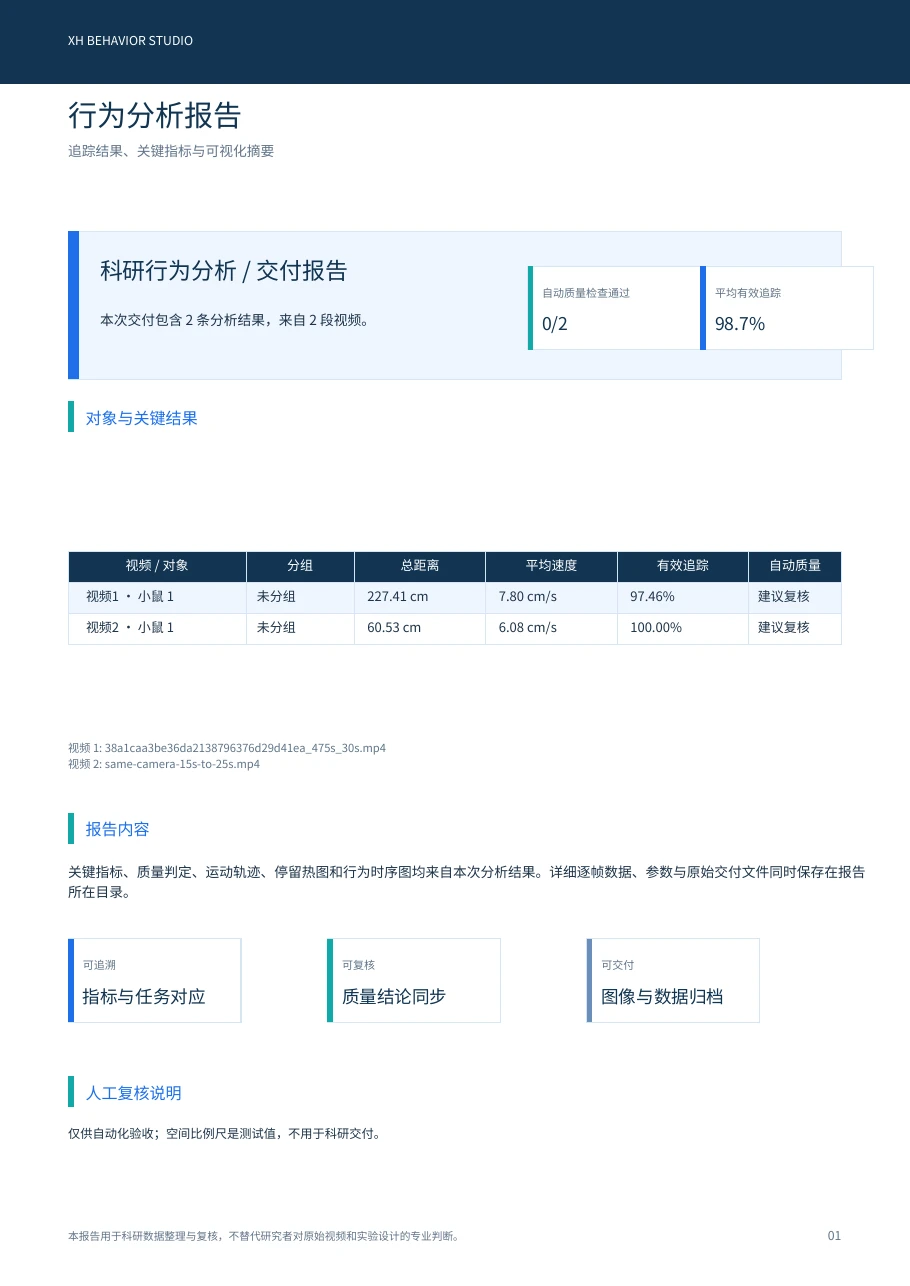
Export frame-level trajectories, event tables, figures and experimental reports for statistics and research records.
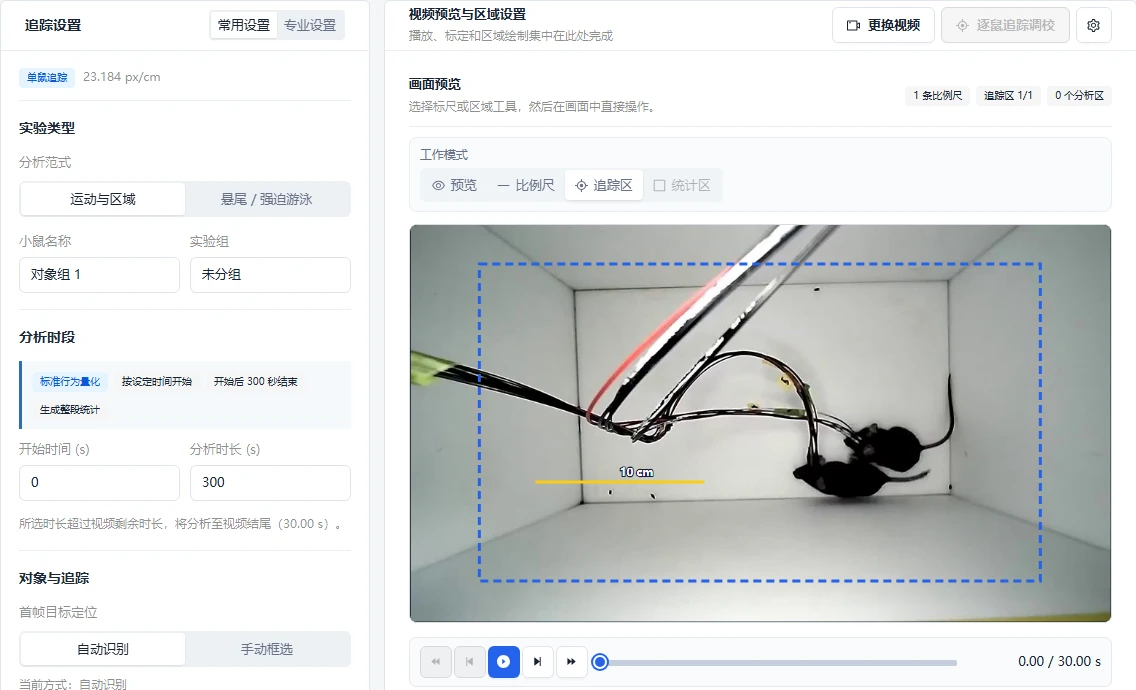
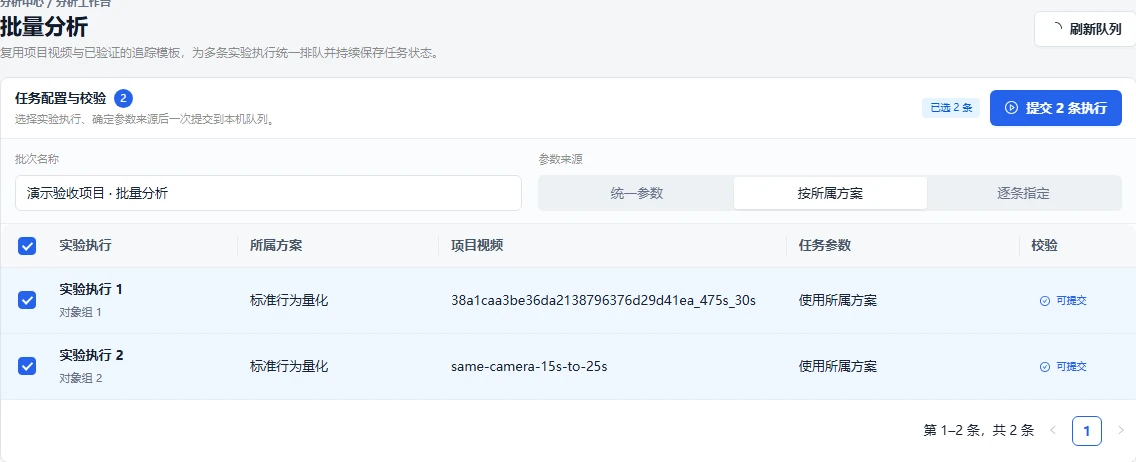
Actual interfaces for parameter configuration, result filtering, and review; original screenshots retain their Chinese labels.
 Enlarge image
 Enlarge image
RESEARCH OUTPUTS
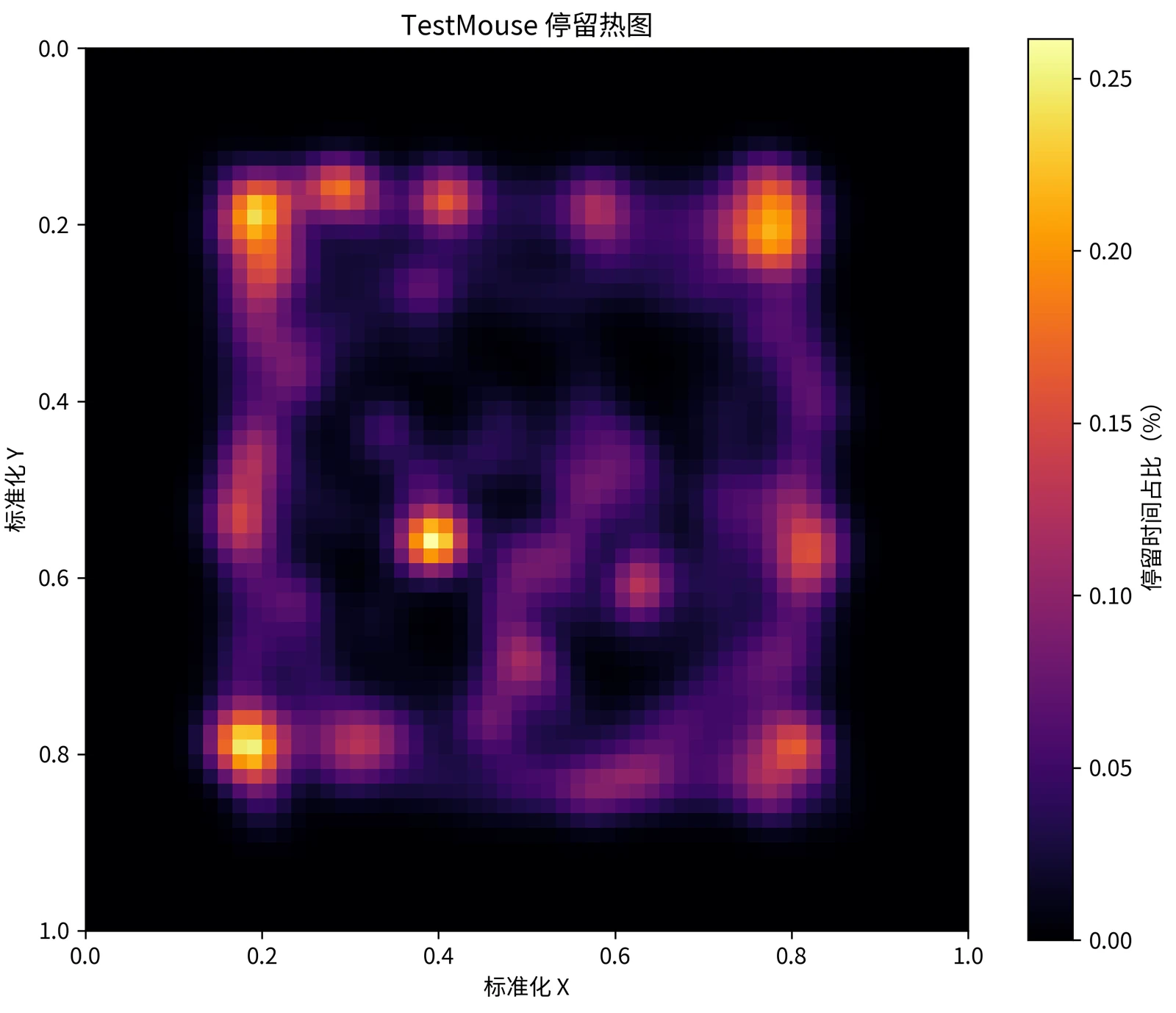
Measured examples from Behavior Studio, preserving original figures and quality information.
 Enlarge image
 Enlarge image
REPORT EXAMPLES
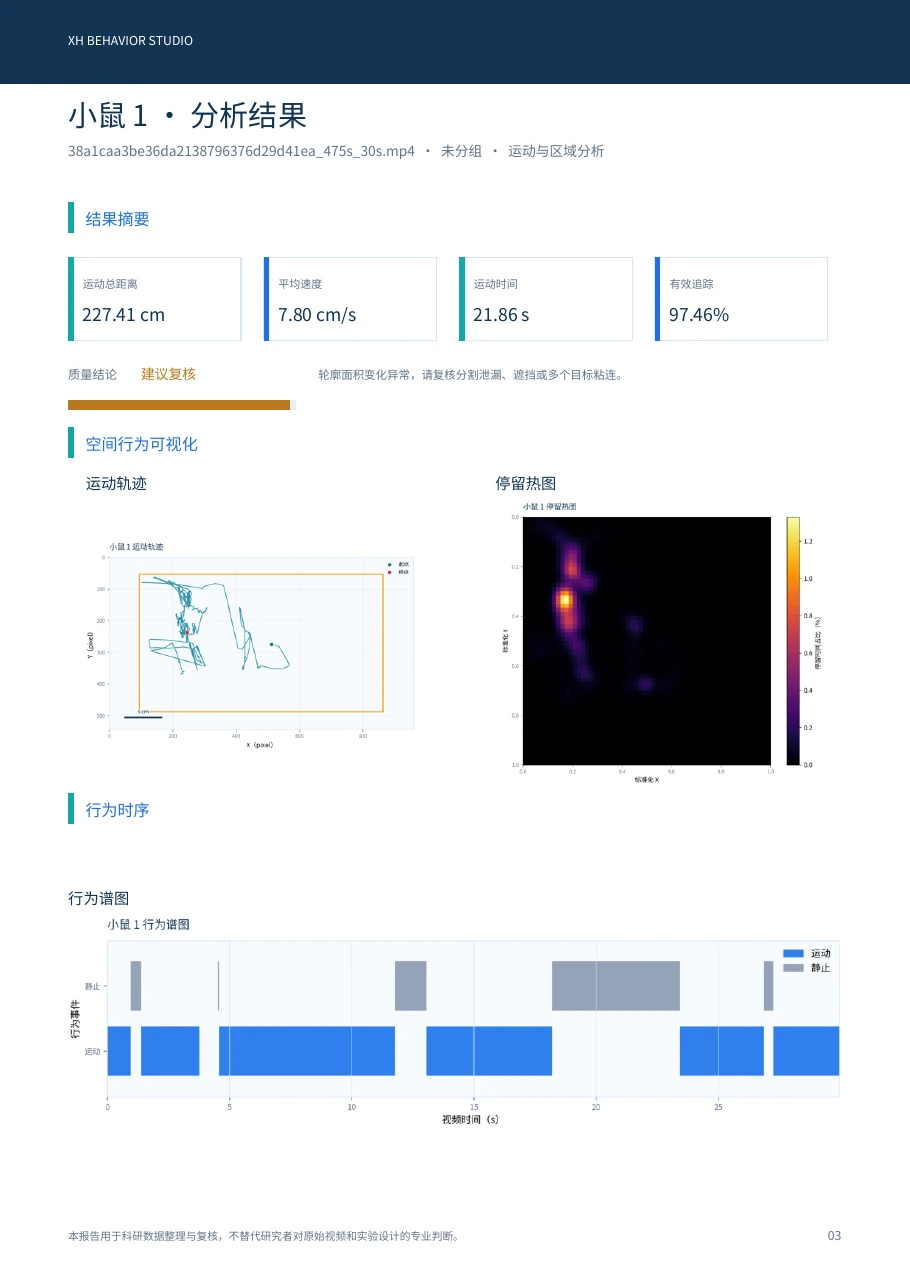
Rendered from PDFs actually exported by the software, retaining original figures, labels, and quality notes.
 Enlarge image
 Enlarge image
ANALYSIS WORKFLOW
Link videos and trial information, then check duration, image content and analysis subjects.
Enter physical arena dimensions, define regions of interest and choose a tracking configuration suited to the video.
Review frame-level trajectories, subject identities and anomaly flags to locate intervals requiring verification.
Use the source video to correct affected intervals, then calculate or recalculate movement and zone measures.
Inspect trajectory plots, heatmaps and event tables; export data and reports while retaining the parameter record.
DELIVERABLES
BEFORE ANALYSIS
FREQUENTLY ASKED QUESTIONS
Experiments focused on paths, movement, spatial occupancy and zone events. For fine-scale body-surface motion, explore Dense Tracking Studio.
Yes. Calibrate against the physical arena dimensions in the video before calculating physical distance or speed. Uncalibrated pixel coordinates cannot be interpreted directly as centimeters or meters.
Review and correct the affected interval, then recalculate the relevant measures. All records do not need to be reorganized; the recalculation scope depends on the task and the correction.
Tell us your experiment, recording angle, and target measurements to arrange a Behavior Studio demo and sample assessment.