
Individual observation of same-color mice
Inspect identities, contours and points separately, using occlusion and identity-ambiguity flags to review crossing intervals.
Multi-mouse body-surface point tracking
Link individual identities, contours and body-surface points in single-view videos. Inspect each mouse's fine-scale movement and verify tracking quality and interaction candidates against the source video.
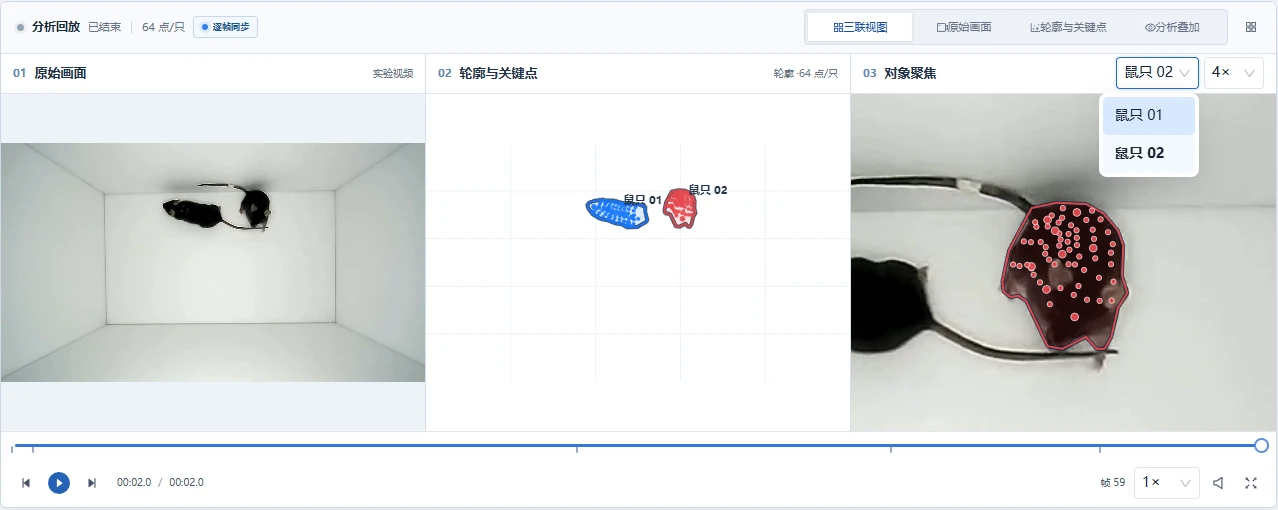 Enlarge image
RESEARCH APPLICATIONS
Inspect identities, contours and points separately, using occlusion and identity-ambiguity flags to review crossing intervals.
Choose point density for the research question and inspect motion through linked source and close-up views.
Use trajectories, distances and time windows to narrow candidate intervals, then annotate and confirm events against the video.
CORE CAPABILITIES
Connect target localization, contour propagation, identity association and point tracking so outputs remain linked to the same individual.
Supports 1–3 mice with separate contour, point and status views. Complex occlusions require review.
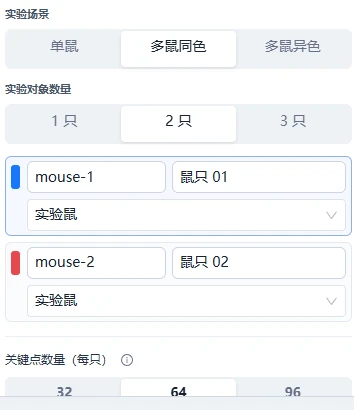
Choose 32/64/96 points per mouse and inspect their movement in three linked views.
Record occlusion, visible fraction and identity ambiguity to locate intervals requiring review.
Generate candidates from trajectories, inter-animal distances and time windows, then confirm them through replay and annotation.
Evaluate precision and recall against manual annotations and export trajectories, images, data and PDF.
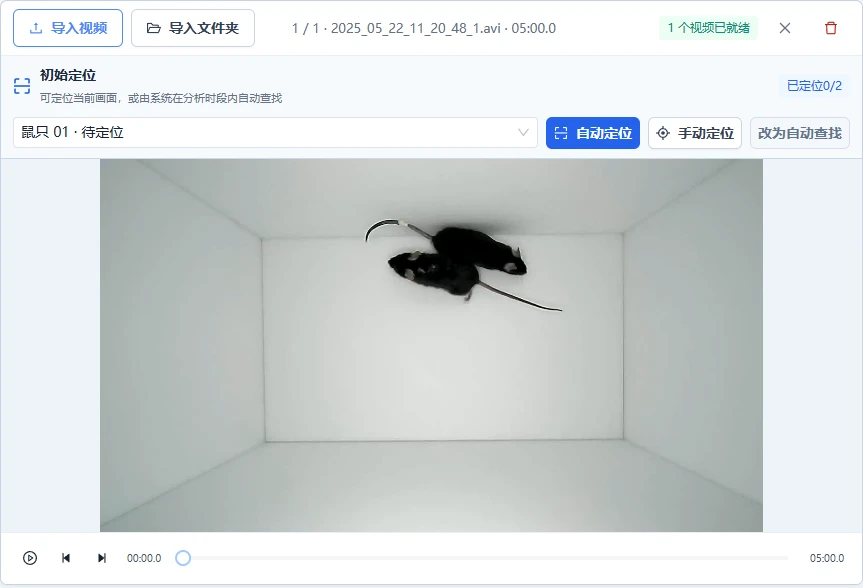
Actual interfaces for parameter configuration, result filtering, and review; original screenshots retain their Chinese labels.
 Enlarge image
 Enlarge image
RESEARCH OUTPUTS
Measured examples from Dense Tracking Studio, preserving original figures and quality information.
 Enlarge image
Video preview
ANALYSIS WORKFLOW
Set the analysis region, subject count and initial locations, and verify that targets match the research subjects.
Select point density and tracking parameters for the research objective, then submit the task.
Use linked source, contour/point and close-up views to check occlusion, identity and point quality.
Combine rule-based candidates, source video and manual annotations to confirm events and evaluate results when needed.
Save quality flags and confirmed results, then export trajectory data, images and PDF.
DELIVERABLES
BEFORE ANALYSIS
FREQUENTLY ASKED QUESTIONS
Body-surface points follow visible surface motion and do not automatically correspond to anatomical landmarks such as the nose or joints. Anatomical or three-dimensional pose studies require a separately verified measurement approach.
First inspect identity, visible fraction and occlusion flags. Support for 1–3 subjects does not imply reliable identities under every crossing or occlusion condition.
No. Rule-based candidates narrow the search interval and must be checked against the behavior definition and video. Manual annotations can be used to evaluate candidate performance.
Tell us your experiment, recording angle, and target measurements to arrange a Dense Tracking Studio demo and sample assessment.